
What is the MRZ on a passport or ID card? Format, lines and check digits
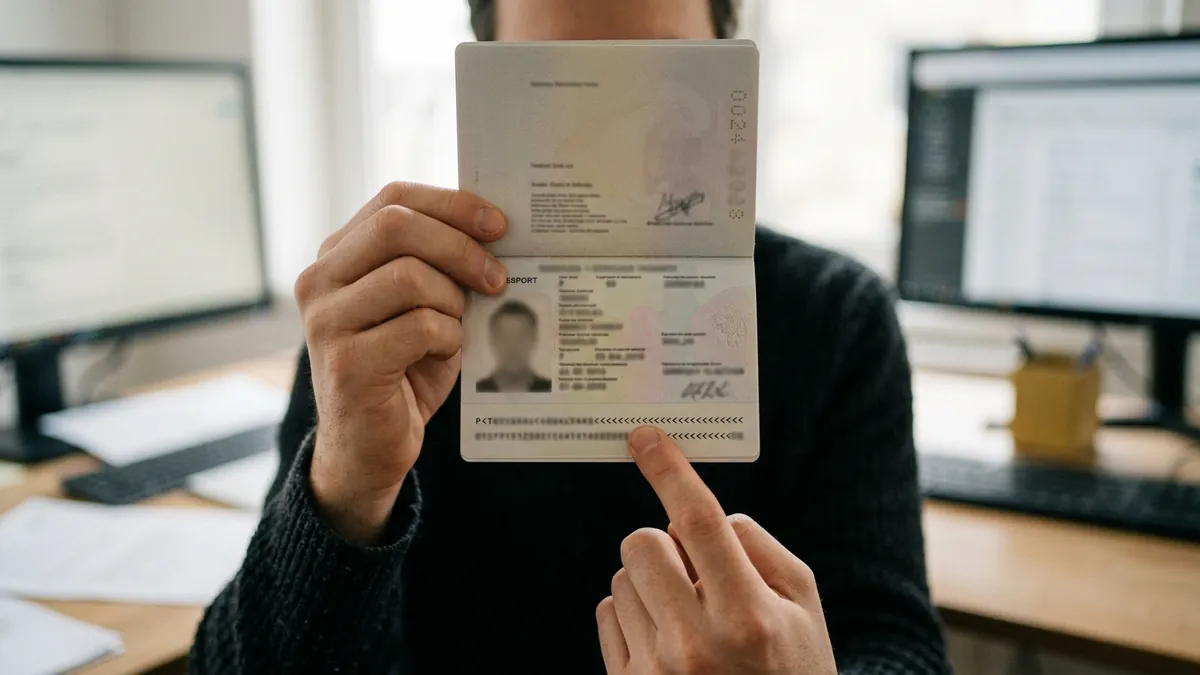
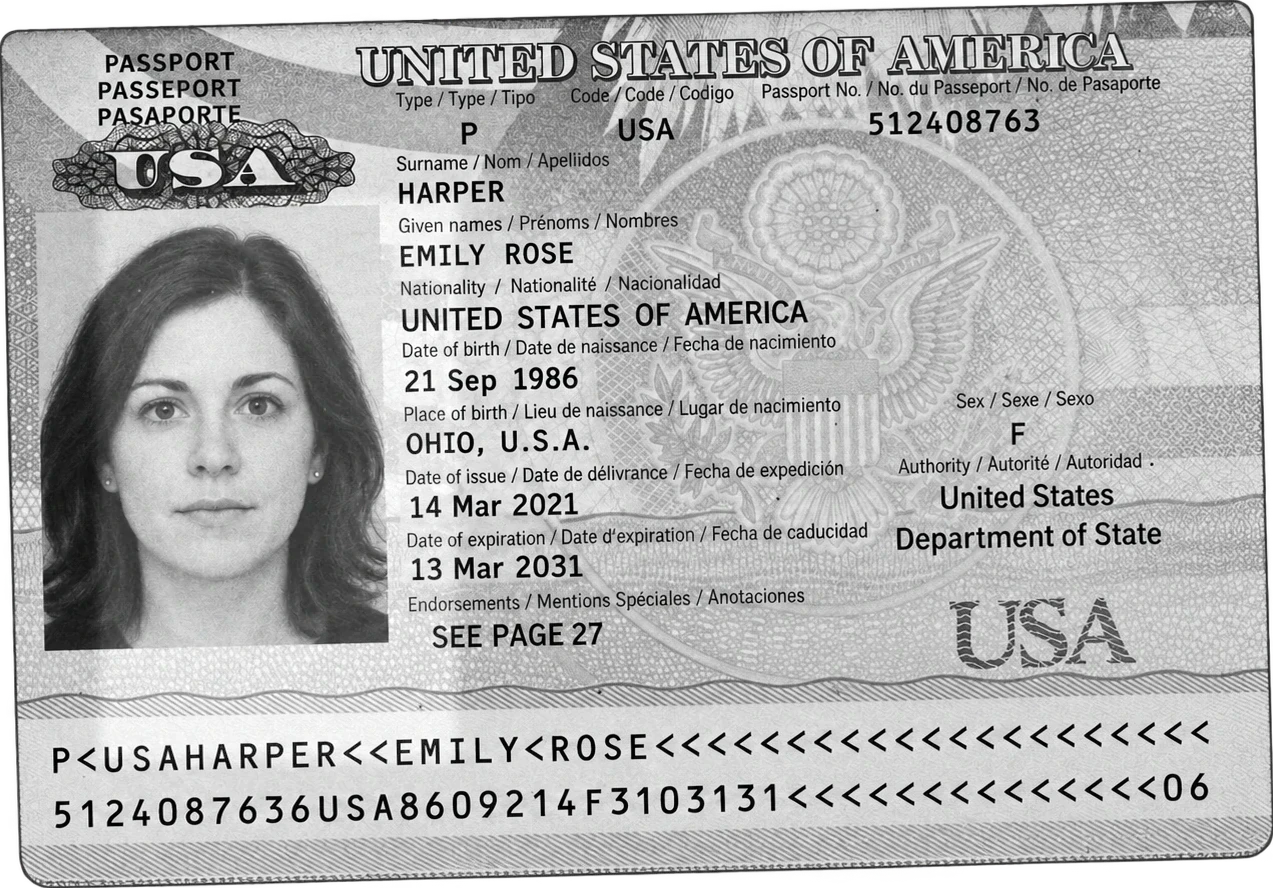
The MRZ (machine readable zone) is the block of two or three lines of capital letters, digits and « < » signs printed at the bottom of a passport's photo page, on the back of most national ID cards and at the bottom of visas. It repeats the holder's identity in a fixed layout defined by the ICAO 9303 standard, with check digits, so that a machine can read it without error. This guide decodes every position of a real specimen, shows how the check digits are computed, and says plainly what the MRZ does not prove.
What the MRZ is, in one minute
MRZ stands for machine readable zone. It is the part of an identity document written for machines rather than for people: a fixed number of lines, a fixed number of characters per line, one font (OCR-B), and only three kinds of characters: capital letters A to Z, digits 0 to 9, and the filler sign « < », which stands for a space or an empty position. Because every field sits at a known position, a reader does not have to guess where the surname ends or which number is the document number: position 1 to 9 of the second passport line is always the document number.
The International Civil Aviation Organization (ICAO) published the first specification in 1980, in what is now ICAO Doc 9303, *Machine Readable Travel Documents*. ICAO set 24 November 2015 as the date after which passports without an MRZ should no longer be in circulation, so in practice every passport in use today carries one. Most national ID cards issued in the last twenty years carry one too, on the back. Driver licenses usually do not carry an ICAO MRZ: US licenses, for example, use a PDF417 barcode instead.
People search for it under many names: MRZ code, MRZ number, MRZ line, the numbers at the bottom of a passport, or simply « passport machine readable ». They all designate the same block.
Where to find the MRZ on each document
| Document | Where the MRZ is | Format | Lines × characters |
|---|---|---|---|
| Passport (booklet) | Bottom of the photo page | TD3 | 2 × 44 |
| National ID card, residence permit (card size) | Back of the card, bottom | TD1 | 3 × 30 |
| Older ID cards and some official documents | Front or back, bottom | TD2 | 2 × 36 |
| Visa sticker, large | Bottom of the visa | MRV-A | 2 × 44 |
| Visa sticker, small | Bottom of the visa | MRV-B | 2 × 36 |
The size of the document decides the format. TD1 is the size of a bank card, TD2 is slightly larger, TD3 is the passport page. On most cards the MRZ is on the back; a few models print it on the front. If a card has no MRZ at all, the identity can only be read from the printed fields.
The passport MRZ (TD3), decoded position by position
ICAO uses a fictional country, Utopia (code UTO), for its specimens. Here is the specimen passport of Anna Maria Eriksson from Doc 9303, the same two lines that most MRZ libraries use in their tests:
P<UTOERIKSSON<<ANNA<MARIA<<<<<<<<<<<<<<<<<<<
L898902C36UTO7408122F1204159ZE184226B<<<<<10
Line 1: document type, issuing country, name
| Positions | Content in the specimen | Meaning |
|---|---|---|
| 1 | P | Document type: P for passport |
| 2 | < | Passport type: empty here; a letter such as D (diplomatic) or S (service) on some passports, PP for ordinary passports under the new ICAO codes |
| 3 to 5 | UTO | Issuing state or organization, three letter code |
| 6 to 44 | ERIKSSON<<ANNA<MARIA<<<… | Surname, then « << », then given names separated by « < », padded with « < » |
Line 2: number, nationality, dates, check digits
| Positions | Content in the specimen | Meaning |
|---|---|---|
| 1 to 9 | L898902C3 | Passport number |
| 10 | 6 | Check digit of the passport number |
| 11 to 13 | UTO | Nationality of the holder |
| 14 to 19 | 740812 | Date of birth, YYMMDD: 12 August 1974 |
| 20 | 2 | Check digit of the date of birth |
| 21 | F | Sex: F, M, or « < » when unspecified |
| 22 to 27 | 120415 | Expiry date, YYMMDD: 15 April 2012 |
| 28 | 9 | Check digit of the expiry date |
| 29 to 42 | ZE184226B<<<<< | Personal number or optional data, at the issuer's discretion |
| 43 | 1 | Check digit of the personal number (« < » or 0 if the field is empty) |
| 44 | 0 | Composite check digit over the number, birth date, expiry and optional data |
Three details trip up people who read an MRZ by eye. The year has two digits only: the reader infers the century, usually by assuming a birth date is in the past and an expiry date is within the next decade or so. The nationality (positions 11 to 13 of line 2) can differ from the issuing country (positions 3 to 5 of line 1), for example on a refugee travel document. And the document number may contain letters, as in L898902C3, so an MRZ number is not always numeric.
Country codes and names in the MRZ
The three letter codes follow ISO 3166-1 alpha-3 for almost every country (FRA, USA, GBR, IND), with exceptions that ICAO keeps for historical or legal reasons. Germany uses a single D followed by two fillers (« D<< »). The United Kingdom has several codes for different kinds of British nationality: GBR for citizens, plus GBD, GBN, GBO, GBP and GBS. ICAO also defines codes that are not countries: UNO, UNA and UNK for United Nations documents, XXA for a stateless person, XXB and XXC for refugees, XXX for an unspecified nationality, and EUE for the European Union laissez passer.
Names are written in the Latin alphabet without accents or punctuation. Doc 9303 part 3 gives transliteration tables: Ü may become UE or U, Ø becomes OE, ß becomes SS, apostrophes and hyphens become fillers or disappear. Names from Cyrillic, Arabic or other scripts are transliterated with the tables of the same part. When a name is too long for the line (39 characters in a passport, 30 on an ID card), it is truncated, and the last position holds a letter instead of a « < », which tells the reader the name was cut. The printed name on the page is the reference; the MRZ name is a machine version of it.
The ID card MRZ (TD1) and the TD2 format
An ID card has less width, so the same information is spread over three lines of 30 characters. The ICAO specimen card of the same fictional holder reads:
I<UTOD231458907<<<<<<<<<<<<<<<
7408122F1204159UTO<<<<<<<<<<<6
ERIKSSON<<ANNA<MARIA<<<<<<<<<<

line 1: I (identity document), < , UTO (issuer), D23145890 (number), 7 (check), optional data
line 2: 740812 (birth) 2 (check), F, 120415 (expiry) 9 (check), UTO (nationality), optional data, 6 (composite check)
line 3: name
The order differs from the passport: on a TD1 card the document number comes first, on line 1, and the name moves to line 3. The composite check digit at the end of line 2 covers line 1 from position 6 and line 2 up to its optional data, except the sex and the nationality. When a document number is longer than 9 characters, which happens on some national cards, the first 9 characters sit in positions 6 to 14, position 15 holds a « < », and the rest of the number continues in the optional data followed by its check digit. A reader that ignores this rule cuts the number.
TD2 (two lines of 36) follows the passport layout with a shorter name field and a shorter optional data field. It is now rare on ID cards but still found on some residence documents and older cards. Visas (MRV-A and MRV-B) use the same idea with one difference: they have no composite check digit. The five layouts are compared position by position, with the documents that use each one, in our guide to MRZ formats.
How MRZ check digits are calculated
Each protected field is followed by one check digit. The method is the same everywhere in Doc 9303:
- Convert each character to a number: digits keep their value, letters count A = 10, B = 11 and so on up to Z = 35, and « < » counts 0.
- Multiply the values by the weights 7, 3, 1, repeated from the first character to the last.
- Add the products and keep the remainder of the division by 10. That remainder is the check digit.
Worked example on the specimen passport number L898902C3:
| Character | Value | Weight | Product |
|---|---|---|---|
| L | 21 | 7 | 147 |
| 8 | 8 | 3 | 24 |
| 9 | 9 | 1 | 9 |
| 8 | 8 | 7 | 56 |
| 9 | 9 | 3 | 27 |
| 0 | 0 | 1 | 0 |
| 2 | 2 | 7 | 14 |
| C | 12 | 3 | 36 |
| 3 | 3 | 1 | 3 |
| Total | 316 |
The sum is 316, and 316 modulo 10 is 6: the digit printed at position 10 of line 2. The same computation on 740812 gives 2, on 120415 gives 9, and on ZE184226B followed by five fillers gives 1, which matches the specimen. The composite digit at position 44 is computed the same way on positions 1 to 10, 14 to 20 and 22 to 43 of line 2 taken as one string, and gives 0. Which positions each MRZ check digit protects on ID cards and visas, and which reading errors slip through, is detailed separately.
The weights 7, 3, 1 are chosen so that a single wrong character or two swapped neighbours change the result. A reader that recomputes the digits therefore catches most of its own reading errors, such as an O read as a 0 or an 8 read as a B. It also catches a value that was changed by hand without the digit being updated. It does not catch a value that was changed by someone who recomputed the digit, which is the subject of the next section but one.
What changes in passport MRZ codes from 2026
Until now, the second character of a passport MRZ was free: most countries left it as « < », some used a letter of their own choosing. ICAO has defined fixed two letter codes for passport types, to be part of the 9th edition of Doc 9303: PP for an ordinary passport, PD diplomatic, PO official or service, PE emergency, PR refugee, PS stateless, PT alien, PL laissez passer and PM military, among others. A working paper of ICAO's TAG/TRIP group (November 2025) states that documents issued with a one letter code will not be accepted after 1 January 2038, so readers and inspection systems need to accept both forms for more than a decade.
For anyone who parses MRZs in software, the practical consequence is simple: never assume that the second character of line 1 is « < », and never reject PP, PD or PO as an unknown type. Some countries have also raised objections to the letters chosen for certain types, so the list may still move before it is final.
What the MRZ does not contain
The MRZ is a summary, not the whole document. Several fields that a KYC or onboarding file usually needs are only in the printed zone (the visual inspection zone, in ICAO terms):
- Date of issue and issuing authority: printed only, never in the passport MRZ.
- Place of birth: printed only.
- Address: on the ID cards that show it, printed only.
- Full name with accents and original spelling: the MRZ holds a transliterated and possibly truncated version.
- Photo and signature: obviously not in the text, and not linked to it by the check digits.
This is why reading only the MRZ is rarely enough for a business process. A complete reading takes the printed fields as well, and a careful one compares the two: a surname or a birth date that differs between the MRZ and the printed zone is either a reading error or a sign that one of them was altered.
What a valid MRZ proves, and what it does not
A valid MRZ, with every check digit correct, proves that the characters are consistent with each other. That is all. The algorithm is public and fits in ten lines of code, so anyone who edits a document can recompute the digits. A valid MRZ on a forged or edited document is therefore common, and a correct MRZ must never be read as « this passport is genuine ».
The checks that give real information go beyond the MRZ: agreement between the MRZ and the printed fields, an expiry date in the future, a document number format consistent with the issuing country, traces of editing in a PDF, signs of retouching or AI generation in a photo, and, for a physical document in hand, the security features of the paper and the chip. On an electronic passport, the document number, birth date and expiry date of the MRZ (with their check digits) also form the key that opens the chip with Basic Access Control, which is how phone apps and border gates read the chip after scanning the MRZ.
When software reports « no MRZ detected »
This message, frequent in apps and SDKs, means the reader did not find a zone it could parse. The usual causes, in order of frequency:
- The zone is cut: the photo frames the passport page but crops the bottom lines, or a finger covers them.
- Glare on the laminate: the plastic film of the photo page reflects the flash right on the MRZ. Tilting the document slightly or turning off the flash fixes most cases.
- Blur or low resolution: the characters are too small or soft to tell 0 from O and 8 from B. On a phone, filling the frame with the page is better than zooming afterwards.
- Wrong side: on an ID card, the MRZ is usually on the back.
- The document has no MRZ: many driver licenses, some older national cards, and documents that are not travel documents.
- A damaged or worn document: worn characters, a stain or a fold on the zone. The printed fields may still be readable.
Reading the MRZ automatically
Border gates and desk readers read the MRZ with dedicated hardware. In software, the MRZ is read from an image: a photo uploaded from a phone, a scan, a PDF. The reader locates the zone, reads the characters at their fixed positions, splits them into fields according to the format, and recomputes the check digits. Open source libraries (PassportEye on Tesseract, the mrz packages for JavaScript, Java and Python) do the parsing well on clean images and are fine for a prototype.
Koncile, which publishes this site, does the same reading as part of a full document reading: the MRZ lines and parsed fields, the printed fields the MRZ does not carry, the comparison between the two, and a fraud score from 0 to 100 that is a signal to verify, never an accusation. It does not read the chip and does not do face matching. The MRZ OCR page details what comes back, and the comparison of passport OCR APIs and SDKs lists the other options, including the free ones.
Frequently asked questions
01What does MRZ stand for?
Machine readable zone. It is the block of two or three coded lines at the bottom of a passport photo page, on the back of most ID cards and at the bottom of visas, defined by ICAO Doc 9303 so that machines can read the document.
02What is the MRZ code on a passport?
Two lines of 44 characters at the bottom of the photo page. Line 1 holds the document type, issuing country and name; line 2 holds the passport number, nationality, birth date, sex, expiry date, optional data and five check digits.
03What are the numbers at the bottom of a passport?
They are the MRZ. The second line starts with the passport number and its check digit, then the nationality, the date of birth (YYMMDD), the sex, the expiry date, optional data and the check digits.
04Where is my MRZ number?
People usually mean the passport or document number as written in the MRZ: positions 1 to 9 of the second passport line, or positions 6 to 14 of the first line of an ID card. It should match the number printed on the page.
05Does an ID card have an MRZ?
Most national ID cards and residence permits issued in recent years do, as three lines of 30 characters on the back (TD1 format). Some older cards have none, and driver licenses usually have none.
06What does the « < » sign mean in the MRZ?
It is the filler character. It replaces a space, separates the surname from the given names (« << ») and fills unused positions. In check digit calculations it counts as 0.
07Can a fake passport have a valid MRZ?
Yes. The check digit algorithm is public, so a valid MRZ only proves internal consistency. Authenticity requires other checks: agreement with the printed fields, traces of editing in the file, security features or the chip of the physical document.
08Why does the MRZ show a different name from the printed page?
The MRZ uses only capital Latin letters without accents, so names are transliterated (Ü may become UE, ß becomes SS) and long names are truncated. The printed name is the reference.
09What does PP mean at the start of a passport MRZ?
It is the new ICAO code for an ordinary passport. ICAO has fixed two letter codes for passport types (PP ordinary, PD diplomatic, PO official, and others), and older passports with « P< » remain valid during a transition that runs into the 2030s.
Sources
- ICAO Doc 9303, part 1: introduction to machine readable travel documents
- ICAO Doc 9303, part 3: specifications common to all MRTDs (check digits, transliteration, country codes)
- ICAO Doc 9303, part 4: machine readable passports (TD3)
- ICAO Doc 9303, part 5: TD1 size documents (ID cards)
- ICAO TAG/TRIP/5, working paper 30: second letter code for passports (November 2025)
Read an MRZ and the printed fields in one call
Upload a passport or an ID card to a Koncile account and get the MRZ lines, the parsed fields, the check digits, the printed fields and a fraud score. 20 free credits, no card, for professional use.
Create a free Koncile accountTalk to an expert
Documents are deleted after analysis. Face match, liveness and chip reading are not part of the service.