
MRZ checksum: how MRZ check digits work, field by field
The MRZ checksum is a set of check digits: each one is the last digit of a weighted sum (weights 7, 3, 1) of the field it follows, with A = 10 to Z = 35 and « < » = 0. It catches most reading errors, but not all of them, and it never proves that a document is genuine. Below: a worked example, the protected positions on every format, the errors it misses, and code you can run.
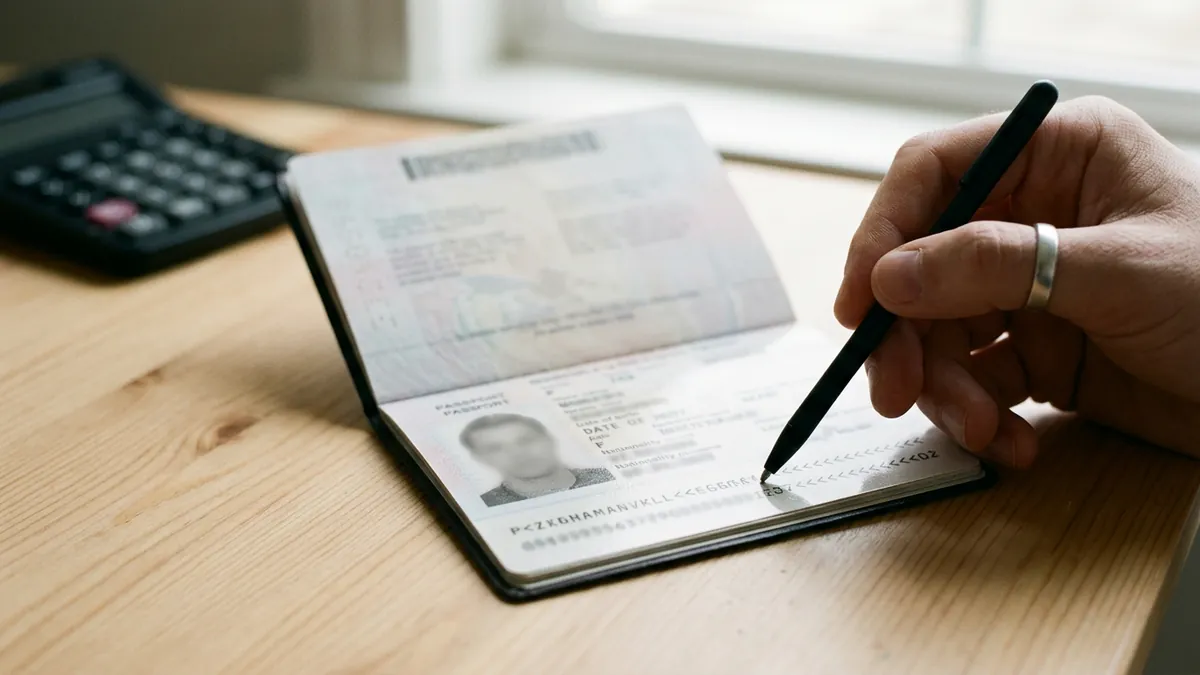
The MRZ checksum in 30 seconds
Every important field of a machine readable zone (MRZ) is followed by one digit computed from that field. The rule comes from ICAO Doc 9303, part 3, and is identical on passports, ID cards and visas:
- Give each character a value: digits keep their own value, letters count A = 10 up to Z = 35, and the filler « < » counts 0.
- Multiply the values by the weights 7, 3, 1, repeated from left to right (7, 3, 1, 7, 3, 1 and so on).
- Add the products. The last digit of the sum (the remainder of the division by 10) is the check digit.
That is the whole algorithm. A reader that recomputes the digit and finds a different value knows that one of the characters, or the check digit itself, was misread or changed. The limit comes right after: a correct checksum only says the characters agree with each other. It says nothing about whether the document is genuine, and some reading errors pass through it unnoticed, as shown further down.
The basics of the zone itself (lines, positions, country codes) are in our guide to the MRZ code. This page goes one level deeper: the exact fields each check digit protects in each format, the special cases that break naive parsers, the errors the checksum cannot see, and working code.
Character values and weights
| Character | Value used in the checksum |
|---|---|
| 0 to 9 | 0 to 9 |
| A B C D E F G H I | 10 to 18 |
| J K L M N O P Q R | 19 to 27 |
| S T U V W X Y Z | 28 to 35 |
| < (filler) | 0 |
The weights never restart inside a field: a 9 character document number uses 7, 3, 1, 7, 3, 1, 7, 3, 1, and the long composite field continues the same cycle over its whole length. The weights restart at 7 for each new field, because each check digit is computed on its own field only.
Lower case letters, accents and punctuation never appear in a compliant MRZ, so a reader that meets one has already misread something. Names are transliterated before printing (Ü becomes UE or U, ß becomes SS), as described in part 3 of Doc 9303.
A worked example, step by step
Take the birth date of the ICAO specimen passport, 740812 (12 August 1974). The digit printed right after it, at position 20 of line 2, is 2. Here is why:
| Character | Value | Weight | Product |
|---|---|---|---|
| 7 | 7 | 7 | 49 |
| 4 | 4 | 3 | 12 |
| 0 | 0 | 1 | 0 |
| 8 | 8 | 7 | 56 |
| 1 | 1 | 3 | 3 |
| 2 | 2 | 1 | 2 |
| Sum | 122 |
122 ends in 2, so the check digit is 2. The expiry date 120415 gives 7 + 6 + 0 + 28 + 3 + 5 = 49, hence 9, which is also the digit printed at position 28. A field with letters works the same way: the specimen ID card number D23145890 starts with D = 13, multiplied by 7 to give 91, and the nine products add up to 207, hence the check digit 7 printed at position 15 of line 1.
The composite check digit
The last digit of the MRZ protects several fields at once. On the specimen passport, it is computed on positions 1 to 10, 14 to 20 and 22 to 43 of line 2, glued together into one string of 39 characters:
L898902C3 6   740812 2   120415 9   ZE184226B<<<<< 1
(number + check, birth date + check, expiry + check, personal number + check)

weighted sum = 880   ->   composite check digit = 0
On the specimen ID card (TD1), the composite field is 50 characters long: line 1 from position 6 to 30, then positions 1 to 7, 9 to 15 and 19 to 29 of line 2. Its weighted sum is 376, so the composite digit printed at position 30 of line 2 is 6. Because the composite includes the individual check digits, a reader that misreads a check digit itself is also caught by the composite.
Which fields have a check digit, format by format
Positions are counted from 1, as in Doc 9303. TD3 is the passport page, TD1 the card format of most national ID cards and residence permits, TD2 an intermediate card size, MRV the visa sticker.
| Format | Field protected | Field positions | Check digit position |
|---|---|---|---|
| TD3 (passport, 2 × 44) | Document number | Line 2: 1 to 9 | Line 2: 10 |
| TD3 | Date of birth | Line 2: 14 to 19 | Line 2: 20 |
| TD3 | Date of expiry | Line 2: 22 to 27 | Line 2: 28 |
| TD3 | Personal number or optional data | Line 2: 29 to 42 | Line 2: 43 |
| TD3 | Composite | Line 2: 1 to 10, 14 to 20, 22 to 43 | Line 2: 44 |
| TD1 (ID card, 3 × 30) | Document number | Line 1: 6 to 14 | Line 1: 15 |
| TD1 | Date of birth | Line 2: 1 to 6 | Line 2: 7 |
| TD1 | Date of expiry | Line 2: 9 to 14 | Line 2: 15 |
| TD1 | Composite | Line 1: 6 to 30; line 2: 1 to 7, 9 to 15, 19 to 29 | Line 2: 30 |
| TD2 (2 × 36) | Number, birth date, expiry | Same positions as TD3, line 2 | Line 2: 10, 20, 28 |
| TD2 | Composite | Line 2: 1 to 10, 14 to 20, 22 to 35 | Line 2: 36 |
| MRV-A and MRV-B (visas) | Number, birth date, expiry | Same positions as TD3, line 2 | Line 2: 10, 20, 28; no composite |
Two consequences matter in practice. On a TD1 card the optional data fields have no check digit of their own: they are protected only through the composite. On a visa nothing protects the optional data at all, because visas have no composite digit.
Fields that no check digit protects
The name, the sex, the nationality, the issuing country and the document type are outside every checksum, on every format. A surname read ERIKSS0N instead of ERIKSSON, or a nationality misread from FRA to FRB, leaves every check digit valid. That is the main reason why a careful reading also compares the MRZ name with the printed name, which is in a different font and is read independently.
Special cases that break simple parsers
- Empty personal number. On a passport whose positions 29 to 42 contain only fillers, the check digit at position 43 may be either 0 or « < ». Both are compliant; a parser that requires a digit rejects valid passports.
- Document numbers longer than 9 characters on ID cards. In TD1, Doc 9303 part 5 puts the first 9 characters at positions 6 to 14, a filler at position 15 where the check digit would be, and the rest of the number at the start of the optional data, followed by the check digit computed on the full number. A parser that only reads position 15 sees « < » and wrongly reports an invalid number.
- Fillers inside a number. A document number shorter than 9 characters is padded with « < », which count 0 in the sum. The check digit is computed on the padded field as printed.
- Unknown dates. Some documents print fillers in part of the birth date when the day or month is unknown. The check digit is computed on the field as printed, fillers included.
- Two digit years. The checksum only protects the six characters YYMMDD. Deciding whether 74 means 1974 or 2074 is the reader's job, not the checksum's.
What an MRZ checksum catches, and what it misses
The weights 7, 3 and 1 have no common factor with 10. As a result, changing a single digit into another digit always changes the check digit: a single wrong digit in a protected field is always detected. Letters are a different matter, because a letter's value can differ from a digit's value by exactly 10, 20 or 30, and a difference that is a multiple of 10 disappears in the remainder.
| Reading error | Values | Detected by the check digit? |
|---|---|---|
| O read as 0 | 24 and 0 | Yes |
| I read as 1 | 18 and 1 | Yes |
| B read as 8 | 11 and 8 | Yes |
| S read as 5 | 28 and 5 | Yes |
| Z read as 2 | 35 and 2 | Yes |
| G read as 6 | 16 and 6 | No: the values differ by 10 |
| S read as 8 | 28 and 8 | No: the values differ by 20 |
| L read as 1 | 21 and 1 | No: the values differ by 20 |
| « < » read as K | 0 and 20 | No: the values differ by 20 |
| « < » read as 0 | 0 and 0 | No: both count 0 |
Swapped neighbours are caught too, with one exception: two adjacent digits whose values differ by exactly 5 (0 and 5, 1 and 6, 2 and 7, 3 and 8, 4 and 9) can be swapped without changing the result. A date read 740812 instead of 790812 is caught; 0512 read as 5012 is not. Finally, two errors in the same field can cancel each other out, which is rare on a clean image but not on a blurred one.
A check digit also does not validate the meaning of a field. A birth date of 741332 (13th month, 32nd day) can carry a perfectly valid check digit. A reliable parser therefore adds its own rules on top: real calendar dates, an expiry date after the birth date, a country code that exists, a document number format consistent with the issuing country.
A check digit calculator in a few lines of code
The algorithm is short enough to write yourself, which is often better than adding a dependency; a complete MRZ parser for passports, with names and dates, is in our Python tutorial. In Python, with a function that checks every digit of a passport's second line:
WEIGHTS = (7, 3, 1)

def value(c):
    if c == "<":
        return 0
    if c.isdigit():
        return int(c)
    return ord(c) - 55  # A = 10, B = 11 ... Z = 35

def check_digit(field):
    return sum(value(c) * WEIGHTS[i % 3] for i, c in enumerate(field)) % 10

def check_td3_line2(line):
    """Second line of a passport MRZ (44 characters). Returns True or False per check digit."""
    fields = {
        "document number": (line[0:9], line[9]),
        "birth date": (line[13:19], line[19]),
        "expiry date": (line[21:27], line[27]),
        "personal number": (line[28:42], line[42]),
        "composite": (line[0:10] + line[13:20] + line[21:43], line[43]),
    }
    result = {}
    for name, (data, digit) in fields.items():
        empty = name == "personal number" and set(data) == {"<"} and digit == "<"
        result[name] = empty or str(check_digit(data)) == digit
    return result

print(check_td3_line2("L898902C36UTO7408122F1204159ZE184226B<<<<<10"))
# every value is True on the ICAO specimen
The same calculation in JavaScript, for a form that checks a value typed by a user:
const value = c => c === "<" ? 0 : /[0-9]/.test(c) ? Number(c) : c.charCodeAt(0) - 55;
const checkDigit = s => [...s].reduce((sum, c, i) => sum + value(c) * [7, 3, 1][i % 3], 0) % 10;

checkDigit("740812");    // 2
checkDigit("L898902C3"); // 6
Both versions were run on the ICAO specimens quoted on this page before publication. Change one character of the specimen line, the 1 at position 43 into a 2 for instance, and the function reports the personal number and the composite as false.
A valid checksum is not a genuine document
Because the algorithm is public and fits in ten lines, anyone who edits a passport scan can recompute the digits. A forged or retouched image with a perfectly valid MRZ is the normal case, not the exception, and tools that generate MRZ lines exist for exactly that reason. The checksum is a guard against reading errors and clumsy edits, nothing more.
The checks that carry real information sit around the MRZ: agreement between the MRZ and the printed fields, an expiry date in the future, traces of editing in a PDF file, signs of retouching or AI generation in a photo. Koncile, which publishes this site, reads the MRZ together with the printed fields of passports and ID cards from a photo or a PDF, and returns a fraud score from 0 to 100, a signal to verify, never an accusation. The details are on the MRZ OCR page. It does not do face matching, liveness detection or chip reading.
Frequently asked questions
01What is an MRZ checksum?
It is the check digit printed after each protected field of a machine readable zone: document number, date of birth, date of expiry, optional data on passports, plus a composite digit over several fields. It lets a reader detect most reading errors.
02How do I calculate an MRZ check digit?
Give each character its value (digits as is, A = 10 to Z = 35, « < » = 0), multiply by the weights 7, 3, 1 repeated from left to right, add the products and keep the last digit of the sum. On 740812 the sum is 122, so the check digit is 2.
03Why are the weights 7, 3 and 1?
None of them shares a factor with 10, so any single wrong digit changes the result, and the uneven weights catch most swaps of two neighbouring characters. The exception is a swap of two digits whose values differ by 5, such as 1 and 6.
04What value does the « < » filler have?
Zero. That is why a filler misread as 0 is never detected by the check digit, and why a K misread from a « < » (K = 20) is not either.
05Can a check digit be « < » instead of a number?
Yes, in two cases defined by Doc 9303: the personal number check digit of a passport when that field is empty (0 is also allowed), and position 15 of a TD1 ID card when the document number is longer than 9 characters, the real check digit then following the end of the number in the optional data.
06Is the name protected by a check digit?
No. The name, sex, nationality, issuing country and document type are outside every checksum. Compare the MRZ name with the printed name to catch an error there.
07What does a wrong check digit mean?
Most often a reading error: blur, glare, a cut line, a confusion between similar characters. Less often a value that was edited without updating the digit. Read the document again from a better image before drawing any conclusion.
08Does a correct check digit prove that a passport is genuine?
No. The algorithm is public and anyone can recompute it. A correct checksum proves that the characters are consistent with each other, nothing about the document's authenticity.
Sources
- ICAO Doc 9303, part 3: specifications common to all MRTDs (check digit calculation, transliteration)
- ICAO Doc 9303, part 4: machine readable passports (TD3)
- ICAO Doc 9303, part 5: TD1 size documents (ID cards)
- ICAO Doc 9303, part 6: TD2 size documents
- ICAO Doc 9303, part 7: machine readable visas (MRV-A, MRV-B)
Read the MRZ and the printed fields in one call
Upload a passport or an ID card to a Koncile account and get the MRZ lines, the parsed fields, the printed fields and a fraud score. 20 free credits, no card, for professional use.
Create a free Koncile accountTalk to an expert
Documents are deleted after analysis. Face match, liveness and chip reading are not part of the service.