
Passport OCR: 10 APIs and SDKs compared in 2026
Ten ways to read a passport or an ID card by machine, from a free open source parser to a full identity verification SDK, compared on what they return, what they check, what they cost and where each one falls short. Facts were read on each vendor's own site on 29 October 2026; Koncile publishes this guide and is ranked first, with its weaknesses written as plainly as the others.
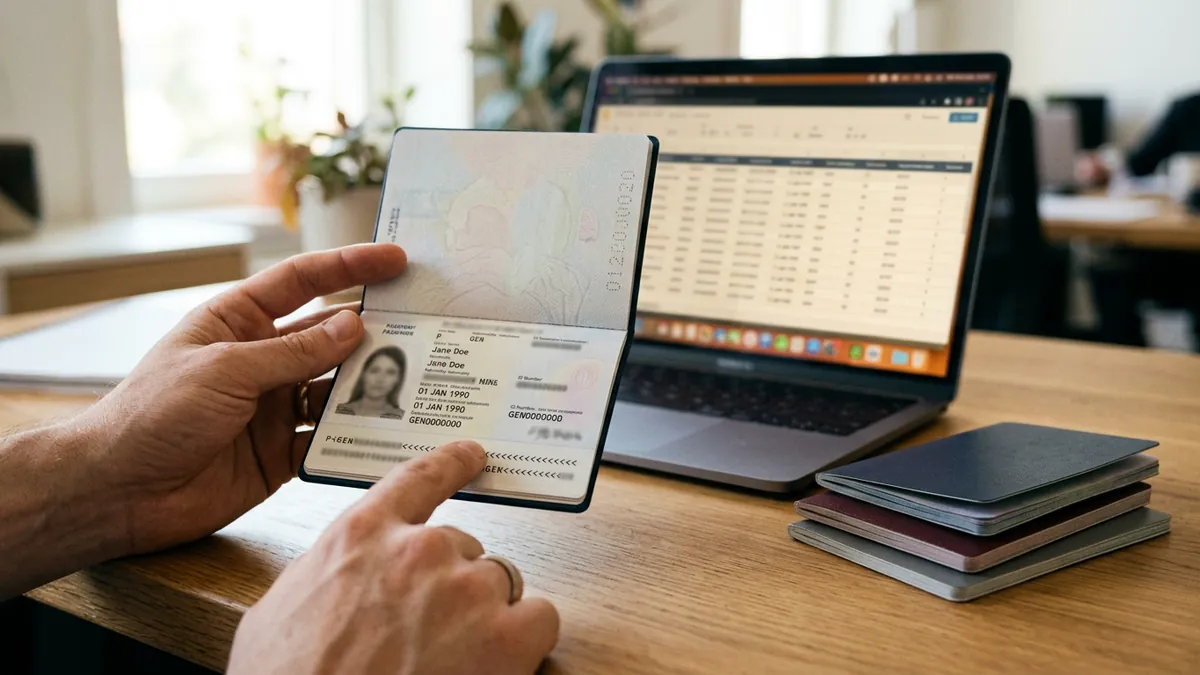
The short answer, by situation
Best overall for passports and ID cards in one API, with a fraud score: Koncile. One request returns the printed fields, the MRZ lines and a score from 0 to 100 that says whether the file shows signs of modification, for passports, national ID cards (both sides), driver licenses and the rest of a KYC file. 20 free credits, public price. The limit: no face match, no liveness, no chip reading.
Best if you only need passport fields and a developer friendly API: Mindee. A dedicated Passport OCR API with per field confidence, published accuracy figures and a $53 per month Starter plan. No authenticity check is described on its passport page.
Best if you need full identity verification in a mobile app: Regula or Microblink. SDKs that capture the document on the phone, read MRZ, barcode and chip, check authenticity and run liveness. Pricing on request, heavier integration.
Best free option for the MRZ only: Tesseract with PassportEye. Open source, runs on your server, reads the machine readable zone and nothing else. No support, no printed fields, no fraud control.
Best if your documents are American and you already run on AWS or Google Cloud: Amazon Textract Analyze ID or Google Document AI. Both are limited to US passports and driver licenses according to their own documentation.
Update of October 2026: first version of this guide. Prices and claims are those displayed on each site at the date of reading; we correct them when a page changes. For a definition of the terms used here, read the guide to the passport MRZ, or the passport OCR home page.
How we ranked these tools
We read the public product page, pricing page and, when available, the API documentation of each tool on 29 October 2026, and kept only what the vendor states itself. Where a site does not say, the table says « not stated ». Koncile is the publisher of this site, so its line is written with the same rule: what the product does today, what it does not. Nothing here has been benchmarked on a common test set; the accuracy figures are each vendor's own.
- Documents covered outside the United States (25 %). Does the tool read passports and ID cards from any country, or a short list? Does it read both sides of an ID card?
- What comes back (25 %). Named fields, the MRZ lines, confidence per value, dates in a usable format, or just raw text.
- Fraud and consistency controls (20 %). Check digits, MRZ against the printed zone, traces of editing in the file, authenticity of the physical document.
- Integration and public price (20 %). REST API, SDK, no code interface, free tier, prices published or on request.
- Data handling (10 %). Where documents are processed, how long they are kept, certifications.
Quick comparison table
| Tool | Type | Documents | MRZ | Fraud controls | Free tier | Public price |
|---|---|---|---|---|---|---|
| Koncile | OCR + document control, API and web | Passports, ID cards both sides, licenses, residence permits, and the other KYC documents | Yes, lines returned, check digits, compared with printed fields | Yes: score 0 to 100, PDF forensics, photo retouch models | 20 credits | From €199 per month (1,000 credits) |
| Mindee | OCR API per document type | Passports (other documents are other products) | Yes, two lines | Not described | 14 day trial | From $53 per month |
| Regula Document Reader SDK | Identity verification SDK | Passports, IDs, licenses, visas, mDL; 17,000+ templates, 254 countries claimed (9 November 2026) | Yes, plus barcode and NFC chip | Yes, authenticity checks, liveness | 30 day trial | Not published |
| Microblink | Identity verification SDK and API | Photo IDs from 195+ countries claimed | Yes | Yes, document verification | Not stated | Not published |
| ID Analyzer | KYC platform, API, on premise | 190+ countries, 3,000+ formats claimed | Yes | Yes, 70+ tamper signals claimed, liveness | 100 credits per month | Not published |
| Klippa (Doxis) | OCR and verification platform | Passports, IDs, licenses; 150+ languages claimed | Yes | Yes, verification module | Not stated | On request |
| Docsumo | Document AI platform | Passports and other KYC documents | Yes | Data checks (check digits, expiry), no authenticity proof per its own article | Trial (1,000 pages) | On request |
| Amazon Textract Analyze ID | Cloud API | US driver licenses and US passports (AWS docs) | US passports | No | AWS free tier | Per page, AWS pricing |
| Google Document AI | Cloud API | US passports, passcards and driver licenses (Google docs) | Not stated | ID proofing signals, US only | Trial credits | Per page, Google pricing |
| Tesseract + PassportEye | Open source | Any document with an MRZ | MRZ only | No | Free | Free |
1. Koncile: best overall for fields, MRZ and a fraud score in one call
Type: OCR and document control, REST API, web interface, email import. Documents: passports, national ID cards both sides, driver licenses, residence permits, plus bank statements, payslips, proofs of address and tax notices. MRZ: lines returned, check digits recomputed, compared with the printed zone. Fraud: score from 0 to 100. Price: 20 free credits, then from €199 per month for 1,000 credits; 1 credit per page for extraction, 2 for a fraud analysis.
One response for the whole KYC file. The same account and the same response format read the passport, the proof of address and the bank statement of a customer. Teams that onboard customers or handle claims stop stitching one OCR per document type (KYC document OCR shows the whole file).
The control layer is the difference with a pure OCR. On a native PDF, Koncile looks at the file itself: metadata, producer software, incremental saves, fonts that differ from the issuer's. On a photo or scan, its own models (K-Detect) look for retouching and AI generated areas. The MRZ, its check digits and the printed fields must agree. The result is a score with three levels: 0 to 39, 40 to 79, 80 and above.
Templates you can edit without a deployment. Fields, names and formats are managed in the interface; the API response follows. A new field in your CRM does not need a release on Koncile's side.
Audited and European. SOC 2 Type II, GDPR, documents deleted after analysis and never used to train models. A data processing agreement is available.
Strengths
- Fields, MRZ and fraud score in one call, for passports and ID cards from any country following ICAO 9303
- Both sides of an ID card in one request
- Reads the other documents of the file with the same controls
- Public price and 20 free credits without a card
- SOC 2 Type II, European processing, deletion after analysis
Weaknesses
- No face match, no liveness, no NFC chip reading: it is not an identity verification suite
- A scan of a well made physical forgery can pass the file level controls
- A genuine document photographed badly (glare, cut MRZ) can get a middle score and needs a human look
- No mobile capture SDK: the photo is taken by your app or your user, Koncile processes it
- Younger and smaller than Regula or Microblink, with fewer published independent evaluations
Our verdict
Koncile is made for teams that need the data and a first opinion on the document, at a known price, without rebuilding their onboarding around a biometric SDK: KYC desks in banks and fintechs, claims teams in insurance, HR and rental operators. If your regulator requires proof that the person holding the passport is its owner, pair it with an identity verification tool or choose one of the SDKs below.
2. Mindee: best dedicated passport API for developers
Type: OCR API, one product per document type. Documents: passports (the Passport OCR API); ID cards, invoices and others are separate products. MRZ: two lines returned. Accuracy claimed: 96.1 % at field level on key fields, 99.8 % on MRZ lines, 0.8 second median per passport. Price: 14 day trial, Starter $53 per month, Pro $134 per month (6,000 credits, 1 credit per page, 1.5 with a confidence score), Enterprise on request. Prices re-read on 2 November 2026: they were $44 and $116 on 29 October.
A clean developer experience. Quickstart, SDKs, no code templates and a response with per field confidence are all on the page. The fields are the classic set: surnames, given names, birth date and place, sex, passport number, issue and expiry dates, issuing country, nationality, both MRZ lines.
Accuracy figures are published, which few vendors do. They remain Mindee's own measurements, without a public test set.
Strengths
- Published accuracy and latency figures
- Confidence per field, low confidence values routed to review
- Published entry price and self serve trial
- Good documentation and SDKs in several languages
Weaknesses
- No authenticity or fraud control described on the passport page
- One product per document type: an ID card or a proof of address means another product
- Trial limited to 14 days, no permanent free tier
- Pricing page shows some inconsistencies between credits and plans at the date of reading
Our verdict
For a developer who needs passport fields quickly, with a known monthly price and no fraud requirement, Mindee is a sound choice. Teams that must also catch modified documents, or read ID cards and proofs of address in the same flow, will need more.
3. Regula Document Reader SDK: best for full verification with chip reading
Type: identity verification SDK, mobile, web and server. Documents: passports, ID cards, driver licenses, visas, mobile driver licenses; 17,000+ templates from 254 countries and territories claimed. MRZ: yes, plus barcodes and NFC chip. Fraud: authenticity checks, liveness. Price: not published, usage based, 30 day trial.
The template approach. Regula matches the document to a known template and checks its security features, which is how it claims to detect forgeries of the physical document, not only of the file. It reads the chip of electronic passports through NFC.
100 % in house technology, with hardware readers for borders and banks, and SDKs for iOS, Android, React Native, Flutter and more.
Strengths
- Widest declared document coverage
- NFC chip reading and physical authenticity checks
- Liveness and face matching available
- Works offline when needed
Weaknesses
- No price published, no quantified accuracy on the page
- SDK integration effort, especially for a web only team
- Template dependence: a brand new design is read once the template is added
- Oversized for a team that only needs the data
Our verdict
When the regulation requires the full check of the physical document and of its holder, Regula is one of the two reference SDKs. For a back office that receives photos and PDFs and wants the fields plus a risk signal, it is more than needed.
4. Microblink: best mobile capture and document verification SDK
Type: SDK and API, mobile, web and kiosk, hybrid on device and cloud. Documents: photo IDs from 195+ countries and territories claimed, no document type selection required. Speed claimed: under 3 seconds from capture. Pass rate claimed: 98 %+ first time. Price: not stated.
Capture first. Microblink's strength is the capture on the phone: it guides the user, detects the document and reads it on device, which limits bad photos before they reach your systems. It cites a first place in the DHS Document Validation Rally 2025 on its site.
Strengths
- On device capture and reading, fast feedback for the user
- Broad coverage claimed, no need to choose the document type
- Independent evaluation cited (DHS)
- Over the air updates for new documents
Weaknesses
- No price on the site
- Headline figures without test conditions on the page
- SDK centric: less suited to documents that arrive by email or as PDFs
- Fraud checks beyond document verification need other products
Our verdict
The right pick when the document is photographed live in your own app and the user experience of the capture matters; our comparison of the best ID scanning SDK options covers the other on device readers. Less relevant when documents arrive as files from a form, a portal or an inbox.
5. ID Analyzer: best free tier for a KYC API
Type: cloud KYC platform, REST API, hosted flow (DocuPass), on premise option (ID Fort), desktop scanner software. Documents: 190+ countries, 3,000+ formats claimed. Accuracy claimed: 99.8 % OCR. Fraud: 70+ tamper signals and 20+ anti forgery models claimed, liveness, deepfake detection. Price: free plan with 100 credits per month, paid plans on request.
Everything in one platform, from the API to a hosted verification page and an on premise deployment, with country pages for each supported document.
Strengths
- Permanent free plan of 100 credits per month
- API, hosted flow and on premise in the same offer
- Liveness and deepfake detection included
- ISO 27001 certification cited
Weaknesses
- Strong accuracy and signal counts without method or independent benchmark
- No paid price published
- Positioned on verification: the extraction of other KYC documents (bank statements, payslips) is not its subject
Our verdict
A practical entry point for a startup that wants a KYC API with a free tier and a hosted flow. Ask for the paid prices and for the method behind the figures before committing.
6. Klippa (Doxis): best for mixed document flows with a verification module
Type: OCR and verification platform (Klippa is now part of Doxis). Documents: passports, ID cards, driver licenses, residence permits; 150+ languages claimed, IDs from over 100 countries per its FAQ. MRZ: yes. Fraud: verification module. Accuracy claimed: over 95 % on clear images. Price: on request, subscriptions and pay as you go.
OCR first, verification as an option. Klippa reads many document types (receipts, invoices, IDs) and adds an identity verification layer, with a mobile scanning SDK. The SNCF case study on its site reports 75 % less manual work.
Strengths
- Reads identity documents and the rest of a business document flow
- Low code platform, API and mobile SDK
- Case studies published
Weaknesses
- No price published
- Figures on the page are inconsistent (150 languages, 100 countries, two different certifications lists)
- Identity page is short (around 1,000 words) and gives no response example
Our verdict
A credible generalist for companies that already process receipts and invoices with Klippa and want to add IDs. For a team whose main problem is identity documents and fraud, a specialist gives more.
7. Docsumo: best explainer, extraction inside a wider platform
Type: document AI platform for financial services. Documents: passports among many financial documents. MRZ: yes. Fraud: data checks (check digits, expiry, MRZ against the printed page); its own guide states it does not inspect security features, read chips or match selfies. Price: free trial of 1,000 pages, then on request.
Docsumo's passport guide is one of the clearest public explanations of MRZ reading and of the difference between OCR and identity verification. The product is an extraction layer inside a broader onboarding file.
Strengths
- Honest documentation of what the checks are and are not
- Large trial (1,000 pages)
- Reads the financial documents around the passport
Weaknesses
- No authenticity proof, by its own statement
- No price published
- Identity documents are not its core; its traffic comes from PDF tools and OCR articles
Our verdict
Worth reading, and worth a trial if your onboarding file is mostly financial documents with a passport inside. Not a fraud tool for identity documents.
8. Amazon Textract Analyze ID: best inside AWS, for US documents only
Type: cloud API. Documents: US driver licenses and US passports, per the AWS documentation. MRZ: US passports. Fraud: none. Price: per page, AWS pricing, free tier.
Analyze ID returns normalized key names (for example « Document ID » whatever the label printed on the card), both sides of a license in one request, and the raw text. It is designed for US identity documents.
Strengths
- Pay per page, no contract, inside your AWS account
- Normalized field names across US documents
- Front and back of a license in one call
Weaknesses
- US documents only, according to AWS
- No fraud or authenticity control
- You build the workflow, review and storage yourself
Our verdict
The natural choice for an American company already on AWS with American customers. Not an option for European passports and ID cards.
9. Google Document AI: identity processors limited to US documents
Type: cloud API. Documents: the Identity Document Proofing processor supports US passports, passcards and driver licenses; a US Driver License parser covers all 50 states and DC, per Google's processor list. MRZ: not stated. Fraud: ID proofing signals (US). Price: per page, Google Cloud pricing.
Strengths
- Inside Google Cloud, with the rest of Document AI
- Proofing signals on US documents
- Per page pricing
Weaknesses
- US only on identity documents
- No MRZ handling described
- Two pages per request maximum
Our verdict
Same conclusion as Textract: good for US documents in a Google Cloud shop, not for international passports or European ID cards.
10. Tesseract and PassportEye: best free MRZ reader
Type: open source, Python. Documents: anything with an MRZ (TD1, TD2, TD3). MRZ: yes, with check digit validation. Fraud: none. Price: free.
PassportEye finds the MRZ in an image, runs Tesseract on it and parses the fields with their check digits. It runs where you want, costs nothing, and reads nothing but the MRZ: the printed fields, the issue date, the address of an ID card are out of reach, and image quality decides everything.
Strengths
- Free and self hosted, no document leaves your server
- Check digits validated
- Good enough for a prototype or an internal tool
Weaknesses
- MRZ only, no printed fields
- Sensitive to glare, angle and resolution
- No support, no fraud control, maintenance on you
Our verdict
The right tool to learn how an MRZ works or to build a prototype. Production KYC needs the printed fields, confidence levels and some control on the document.
What you have to do, tool by tool
| Tool | Capture | Review of doubtful values | Other KYC documents | Fraud decision |
|---|---|---|---|---|
| Koncile | Your form, email or API; photo, scan or PDF | Flagged values, in the interface or in the JSON | Same account | Score and details returned, decision yours |
| Mindee | Your form or API | Confidence per field | Other Mindee products | Not covered |
| Regula | Its mobile or web SDK | In the SDK result | Not its subject | Authenticity and liveness in the SDK |
| Microblink | Its mobile or web SDK | On device feedback | Not its subject | Document verification in the SDK |
| ID Analyzer | API or hosted flow | In the result | Not its subject | Signals and liveness returned |
| Klippa | API, platform or SDK | Platform | Same platform | Verification module |
| Docsumo | Platform or API | Platform | Same platform | Data checks only |
| Textract / Document AI | Your app | You build it | Other processors | Not covered (US proofing on Google) |
| Tesseract + PassportEye | Your app | You build it | No | Not covered |
What a passport OCR should cost
Three pricing models coexist. Per page on the cloud providers, usually cents per page, but you build everything around it. Monthly credits with a published price, as Mindee ($53 per month) and Koncile (€199 per month for 1,000 credits, 1 credit per extraction page) do. And « contact sales » for the verification SDKs, where the price depends on volume and features. Before comparing, count what a document really costs you: the pages (both sides of an ID card are two pages for most tools), the fraud analysis when it is billed separately, and the manual review time saved or not.
Questions to ask before choosing
- Which documents, from which countries, and do we need both sides of ID cards?
- Do we receive files (PDF, photos by email or form) or do we capture live in our app?
- Do we need proof that the person is the holder (face match, liveness), or the data and a document risk signal?
- What comes back: named fields, MRZ lines, confidence, in which format?
- Where is the document processed and how long is it kept?
- Is there a public price and a free tier to test on our own documents?
- Can we change the fields without a deployment?
Which one to choose
If you process files from forms, portals or inboxes and need the data plus a fraud signal on passports, ID cards and the rest of the file, start with Koncile and its 20 free credits. If you only need passport fields with a small monthly bill, Mindee. If you capture live in a mobile app and must prove the holder's identity, Regula or Microblink. If you are American on AWS or Google Cloud with American documents, their native processors. If you are prototyping, Tesseract and PassportEye. In every case, test on your own documents, including the bad photos your users really send.
Frequently asked questions
01What is the best passport OCR API?
It depends on what you need back. For fields, MRZ and a fraud score in one call on international documents, Koncile. For passport fields alone with a published price, Mindee. For full identity verification with chip reading in a mobile app, Regula or Microblink. This guide ranks ten tools on five weighted criteria.
02Is there a free passport OCR?
Tesseract with PassportEye is free and open source but reads only the MRZ. Koncile gives 20 free credits at signup without a card, ID Analyzer a free plan of 100 credits per month, Mindee a 14 day trial and Docsumo a 1,000 page trial.
03Does passport OCR detect fake passports?
Pure OCR does not. Some tools add controls: Koncile checks the file (metadata, editing traces, photo retouching) and the consistency between the MRZ and the printed zone, and returns a score; Regula, Microblink and ID Analyzer check the physical document's security features and the holder's liveness through their SDKs. None of them proves identity on its own; a score or a verdict is a signal to verify.
04What is the difference between passport OCR and identity verification?
OCR reads what is on the document and returns the fields. Identity verification also checks that the document is genuine and that the person presenting it is its holder, with face matching and liveness. Koncile sits between the two: extraction plus document controls, without biometrics. Buyers comparing full identity verification suites can read our guide to Sumsub competitors, which sorts them by what each one checks.
05Can these tools read ID cards as well as passports?
Koncile, Regula, Microblink, ID Analyzer and Klippa read national ID cards, both sides. Mindee sells ID card reading as a separate product. Amazon Textract and Google Document AI cover US driver licenses and passports only. PassportEye reads any MRZ, including the three line MRZ of ID cards.
06How accurate is passport OCR?
Vendors publish their own figures: Mindee 96.1 % at field level and 99.8 % on the MRZ, Koncile over 99 % on key identity fields, ID Analyzer 99.8 % OCR accuracy, Klippa over 95 % on clear images. None comes from a shared public benchmark, and all drop with glare, blur or a cut MRZ. Test on your own documents.
07How much does passport OCR cost?
From free (open source) to cents per page (cloud APIs) to monthly plans: Mindee from $53 per month, Koncile from €199 per month for 1,000 credits. Verification SDKs (Regula, Microblink) do not publish prices.
08Which tools handle European ID cards?
Koncile, Regula, Microblink, ID Analyzer, Klippa and, for the MRZ only, PassportEye. Amazon Textract Analyze ID and Google Document AI's identity processors are documented for US documents only.
Test Koncile on your own passport or ID card
Create an account, upload a document, and read the fields, the MRZ and the fraud score. 20 free credits, no card, for professional use only.
Create a free Koncile accountTalk to an expert
Documents are deleted after analysis. Face match and liveness are not part of the service.