
Best ID scanning and MRZ scanner SDKs in 2026: 10 options side by side
The best ID scanning SDK depends on where the scan happens and what you need back. For an MRZ scanner with a public price, look at barKoder or Doubango; for on device validity checks, Scandit; for chip reading, Regula; for a guided consumer capture, Microblink. If the documents arrive as files, a server side API such as Koncile reads the fields, the MRZ and a fraud score instead.
The short answer: decide where the scan happens
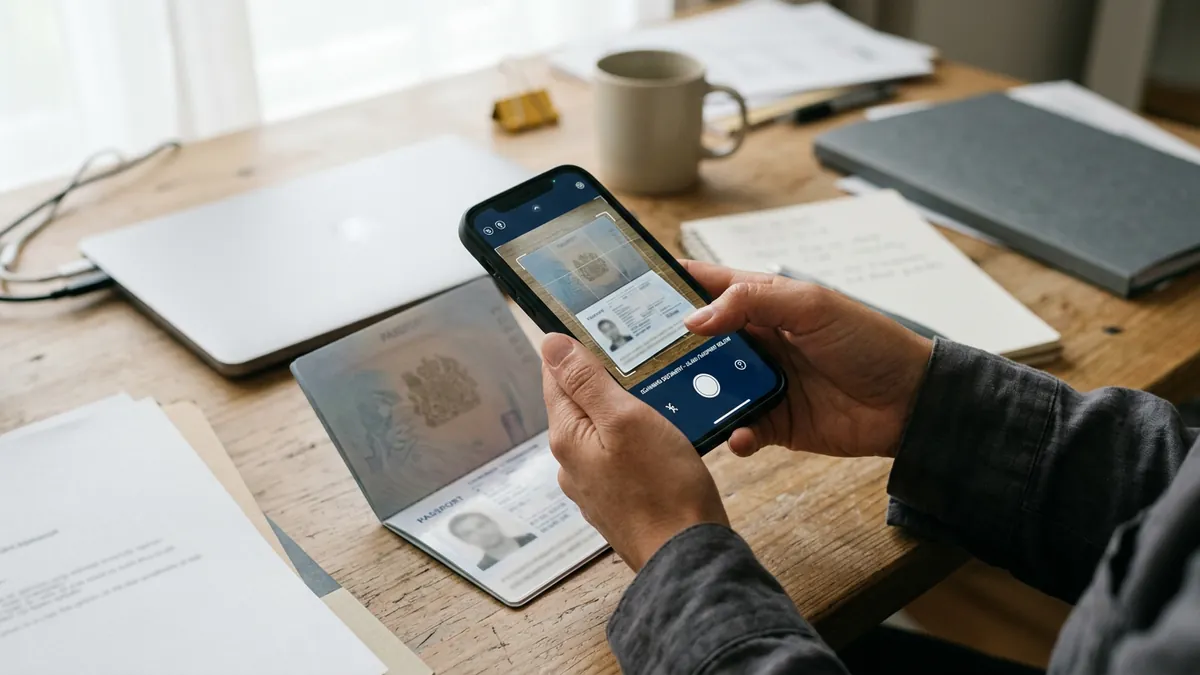
An ID scanning SDK is a library you put inside your own app, so that the phone camera finds the passport or ID card, reads it and hands you the data as fields. The best one depends less on the brand than on three questions: does the scan have to happen on the device, offline; do you need to read only the machine readable zone (MRZ) or the whole document; and how do you want to pay, per device, per app or per scan.
| Your situation | Look at first | Why |
|---|---|---|
| Documents arrive as files (PDF, photo, email), you want fields, MRZ and a fraud score | Koncile | Server side API, 20 free credits, public price, no on device SDK |
| MRZ only, many devices, a price you can read today | barKoder | MRZ decoder in the SDK, from €1,250 a year per app for 50 devices, 30 day trial |
| MRZ only, one app with unlimited users, pay once | Doubango ultimateMRZ | €9,700 per app, lifetime, or €29 per device (15 minimum) |
| Front line staff scanning IDs and checking validity offline | Scandit ID Scan and ID Validate | On device, 2,500+ documents claimed, authenticity checks on device |
| Passports, ID cards and visas in a web page or a desktop app | Dynamsoft MRZ Scanner | JavaScript, mobile, desktop and server editions, price on request |
| Consumer onboarding with a guided capture | Microblink BlinkID | Capture, reading and document checks on the phone, 195+ countries claimed |
| Border level checks with chip (NFC) reading | Regula Document Reader SDK | 17,000+ document templates, NFC, usage based price |
| Mobile capture with a flat annual fee | Scanbot SDK or Anyline | Annual license on quote, no per scan billing, offline |
| Prototype or internal tool, no budget | PassportEye (open source) | Free Python library, MRZ only, you own the accuracy |
Koncile publishes this guide. It is listed first with its limit said as plainly as the others': it is not an on device SDK, it reads files on its servers. Every other fact comes from the vendor's own page, read and dated, and nothing here was benchmarked by us on the same set of documents.
What an ID scanning SDK does, step by step
An SDK (software development kit) for ID scanning runs inside your mobile, web or desktop app. The camera stream goes to the library, not to a remote server. In a typical flow it does five things in under two seconds:
- Finds the document in the video frame and crops it, correcting the perspective.
- Waits for a sharp frame: no glare on the laminate, no blur, the whole MRZ visible.
- Reads the text with optical character recognition (OCR): the two or three MRZ lines at least, sometimes the printed fields of the visual inspection zone (VIZ) and the PDF417 barcode of US driver licenses.
- Parses and checks the MRZ: field positions, dates, and the check digits defined by ICAO Doc 9303.
- Returns structured data to your code: name, document number, nationality, birth date, expiry date, sometimes the face crop and a document image.
Here is what that looks like on the ICAO specimen passport. The camera sees two lines of 44 characters:
P<UTOERIKSSON<<ANNA<MARIA<<<<<<<<<<<<<<<<<<<
L898902C36UTO7408122F1204159ZE184226B<<<<<10
And the SDK hands your app something like this (field names vary by vendor):
{
  "documentType": "P",
  "issuingState": "UTO",
  "surname": "ERIKSSON",
  "givenNames": "ANNA MARIA",
  "documentNumber": "L898902C3",
  "nationality": "UTO",
  "dateOfBirth": "1974-08-12",
  "sex": "F",
  "dateOfExpiry": "2012-04-15",
  "optionalData": "ZE184226B",
  "checkDigitsValid": true
}
If you want the line by line meaning of those characters, our guide to the machine readable zone explains each position, and the MRZ check digit guide shows how the 7, 3, 1 weighting catches a wrong digit.
The limit, said once and early: a valid MRZ only proves that the line is well formed. A forger who knows the algorithm can print correct check digits on a fake. Reading is the first layer; checking that the document is genuine and that the holder is present are other layers, which only some of these SDKs cover.
How we compared these SDKs
We read each vendor's product, pricing and documentation pages on 9 November 2026 (Microblink on 2 November 2026, its page did not render for our reader today). We noted what each one declares, not what we measured. The criteria, weighted the same way as our other comparisons:
| Criterion | Weight | What we looked for |
|---|---|---|
| Documents covered outside the United States | 25 % | MRZ formats (TD1, TD2, TD3, MRV), VIZ fields, scripts other than Latin |
| What is returned | 25 % | Parsed fields, check digit results, images, confidence |
| Fraud and validity checks | 20 % | Authenticity checks, NFC chip reading, expiry and format rules |
| Integration and public price | 20 % | Platforms and frameworks, trial, a price you can read without a call |
| Data security | 10 % | On device processing, certifications stated, what leaves the phone |
A vendor that does not publish a figure gets no credit for it. When a page says "near 100 %" accuracy without a test set, we report the claim and say that it is a claim.
The 10 best ID scanning and MRZ scanner SDKs in 2026
1. Koncile: fields, MRZ and a fraud score on files, server side
Koncile reads passports, national ID cards on both sides, residence permits and driver licenses, and returns each printed field and the MRZ lines as JSON through an API or a web app. A fraud analysis on the same page returns a score from 0 to 100 with the result of each test: PDF forensics, metadata, image edit detection and a model trained to spot AI generated fakes. It works on what you already receive, a scan, a PDF or a phone photo sent by email.
Price (koncile.ai/en/pricing, read on 4 November 2026): 20 free credits at signup, then Advanced at €199 a month for 1,000 credits and Pro at €799 for 5,000, without commitment. A page read costs 1 credit, a page through the fraud analysis 2 credits.
The limit: Koncile is not an SDK that runs in the phone. There is no live camera guidance, no offline mode, no face match, no liveness, no chip reading. A clean photo of a well made physical fake can pass, so the score is a signal to verify, never an accusation. Teams that need a guided capture pair a capture SDK from this list with a server side check, or use Koncile in the back office for the documents that arrive outside the app.
2. Scandit ID Scan and ID Validate: on device scanning for front line staff
Scandit sells ID scanning as part of its data capture platform. ID Scan extracts data from ID cards, visa stickers, passports, driver licenses and military IDs; ID Validate adds authenticity and validity checks. Both run on the device, offline. Scandit claims 2,500+ supported documents, 100 % accuracy on PDF417 barcodes, 99 % on MRZ and 95 %+ on the VIZ, and 99.9 % authentication accuracy, without a public test protocol on the page.
Three ways to integrate: the SDK for a custom app, ID Bolt, a prebuilt web component (ID Validate announced as coming), and Scandit Express, a turnkey app that types the data into any existing app. ISO 27001 certified. Free 30 day trial; price on request.
Best for car rental desks, last mile delivery, airline staff and age restricted sales, where a person scans the ID on a company phone. Less suited to a consumer onboarding flow that also needs a selfie and a face match.
3. barKoder: MRZ as a decoder inside a barcode SDK, with a price list
barKoder added MRZ reading to its barcode SDK in late October 2024 (version 1.5). You turn on the ID document decoder and the library returns the parsed MRZ of passports, ID cards, visas and residence permits, with check digit validation, on the device. It runs on Android, iOS, the web (WebAssembly package), Flutter, React Native, Capacitor, Cordova, .NET MAUI, NativeScript and C#.
Price (barkoder.com/pricing, read on 9 November 2026): an annual subscription per app, all features and unlimited scans included: €1,250 for 50 devices, €1,990 for 100 and €2,990 for 250. A device counts only once it has actually scanned. Free 30 day trial for 25 devices, no card. The SDK checks its license online at least once every 30 days.
Best for teams that already scan barcodes and want MRZ in the same library at a predictable cost. Limits: MRZ only for identity documents, no VIZ reading, no authenticity checks; consumer apps and more devices are on quote.
4. Doubango ultimateMRZ: pay once, run anywhere, including servers
Doubango's ultimateMRZ is a deep learning MRZ detector and recognizer. It processes the whole image (up to 4K) instead of asking the user to align the document in a box, and the vendor claims up to 50 frames per second on an iPhone 7 and 114 on a desktop processor. Binaries are on GitHub for Android, iOS, Windows, Linux and Raspberry Pi, with bindings for Java, C++, C#, Python and more. The GitHub release is free for testing but must not be used in a commercial product.
Price (doubango.org/pricing, read on 9 November 2026): lifetime, royalty free licenses. Mobile: €29 per device with a minimum of 15, or €9,700 per application with unlimited devices and one year of support. Server: €699 (Silver) or €899 (Gold, two months of support and bug fixes) per machine.
Best for a high volume app or an on premise server where a one off cost beats a subscription. Limits: MRZ only, best effort support on per device licenses, and the deep learning models are smaller (and less accurate, by the vendor's own account) on phones than on x86 servers.
5. Dynamsoft MRZ Scanner: web, mobile and desktop in one product
Dynamsoft's MRZ Scanner reads passports to the ICAO standard, machine readable ID cards and visas, the last only in the JavaScript edition at the time of reading. Besides the parsed fields it can return a perspective corrected document image and the portrait crop. Editions exist for JavaScript, Android, iOS, .NET MAUI, React Native, Flutter, .NET, C++ and Python, all processing offline on the device or the server.
The page claims "near 100 %" accuracy through a neural network OCR engine, regular expression checks on every character and parallel reading algorithms. Free trial and online demo; the price sits behind a pricing request in the purchase center (read on 9 November 2026).
Best for teams that need the same MRZ engine in a browser, a native app and a desktop kiosk. Limits: MRZ zone only, no published price, visa support limited to the web edition.
6. Microblink BlinkID: the guided capture for consumer apps
Microblink's strength is the capture on the phone: it guides the user, detects the document and reads it on device, which stops bad photos before they reach your servers. It claims photo IDs from 195+ countries and territories without asking the user to choose the document type, under 3 seconds from capture and a 98 %+ first time pass rate, and cites a first place in the DHS Document Validation Rally 2025. Facts read on 2 November 2026 for our passport OCR API comparison; the product page did not render for our reader on 9 November.
Best for consumer onboarding where the capture experience drives conversion. Limits: no price on the site, headline figures without test conditions, and biometric checks are sold as separate products.
7. Regula Document Reader SDK: border level checks and chip reading
Regula reads passports, ePassports, ID cards, driver licenses, visas, residence permits and mobile driver licenses, matched against 17,000+ document templates from 254 countries and territories, with 138+ languages and scripts including Arabic, Chinese, Cyrillic, Greek and Hebrew (page read on 9 November 2026). It checks the security features of the VIZ, the MRZ and barcodes, detects screenshots and printouts (document liveness), reads the NFC chip of electronic passports and validates its data on the server.
Price: not published, "flexible pricing based on real usage"; demo on request. Best for regulated onboarding and border style controls that must check the physical document. Limits: more integration work and more cost than a team that only needs the MRZ fields requires; a brand new document design is read once its template is added (Regula says within a day).
8. Anyline: offline MRZ scanning on any mobile device
Anyline reads the TD1, TD2, TD3, MRV A and MRV B formats on passports, ID cards and visas; its Universal ID mode adds PDF417 documents, some European, US and Australian driver licenses and European ID cards. Recognition covers Latin, Cyrillic and Arabic characters, not Chinese or Thai. Processing stays on the device, with ISO 27001 certification stated, on iOS and Android natively and through Cordova, React Native, .NET MAUI and Flutter.
Price (anyline.com, read on 9 November 2026): annual licenses tailored to each customer, on quote; a trial app is available. Best for field work, hotels and transport where the network is unreliable. Limits: no public price, no authenticity checks on the page read.
9. Scanbot SDK: MRZ module with a flat annual fee
Scanbot's MRZ Scanner module reads two line (TD2, TD3) and three line (TD1, MRV A, MRV B) zones and returns key value pairs, with ready to use interface components that the vendor says integrate in under an hour. It runs on device across native and cross platform frameworks.
Price (scanbot.io, read on 9 November 2026): a fixed annual price on quote within one business day, with the stated rule "we never charge based on usage". Best for apps with many scans per device where per scan billing would hurt. Limits: MRZ only for identity documents, no price list, no authenticity checks on the pages read.
10. PassportEye: the free option, if you own the accuracy
PassportEye is an open source Python library that finds and reads the MRZ in an image with Tesseract. It costs nothing and keeps everything on your machine, which makes it a good prototype and a fair baseline. It reads the MRZ only, does not guide a camera, and its accuracy on phone photos depends on your own preprocessing. Our tutorial on passport OCR in Python shows it next to a dedicated MRZ parser and an API.
Side by side: what each SDK reads and how you pay
| SDK | Runs where | Reads | Checks beyond the MRZ | Pricing model | Public price |
|---|---|---|---|---|---|
| Koncile | Server (API, web app) | Printed fields, MRZ, both sides of ID cards | Fraud score 0 to 100 on the file | Monthly plans, credits | Yes, from €199 a month, 20 free credits |
| Scandit | Device, web | MRZ, VIZ, PDF417, 2,500+ documents | Authenticity and validity (ID Validate) | On quote | No, 30 day trial |
| barKoder | Device, web | MRZ (TD1, TD2, TD3, MRV) | Check digits | Annual, per app and devices | Yes, from €1,250 a year |
| Doubango ultimateMRZ | Device, server | MRZ | Check digits | Lifetime, per device or per app | Yes, €29 per device, €9,700 per app, €699 per server |
| Dynamsoft | Device, web, desktop, server | MRZ, document image, portrait | Character checks | On request | No |
| Microblink BlinkID | Device, web, kiosk | Photo IDs, 195+ countries claimed | Document verification | Not stated | No |
| Regula | Device, web, server | VIZ, MRZ, barcodes, NFC chip, 17,000+ templates | Security features, document liveness, chip | Usage based | No |
| Anyline | Device | MRZ, PDF417, some driver licenses and ID cards | Not on the page read | Annual, on quote | No |
| Scanbot | Device | MRZ | Not on the pages read | Fixed annual fee, no usage billing | No |
| PassportEye | Your machine | MRZ | Check digits | Free, open source | Free |
The table shows the real split. Five products read the MRZ and stop there (barKoder, Doubango, Dynamsoft, Scanbot, PassportEye); they are cheaper and simpler, and enough when the MRZ fields are all you store. Three read the whole document and check it (Scandit, Microblink, Regula); they cost more and earn it when a fake would cost you money. Koncile sits outside the camera: it reads and checks the file after the fact.
What an MRZ scanner SDK costs for 100 devices or one app
Only three vendors publish a price that lets you compute a bill. For a company app used by 100 staff phones over three years:
| Option | Year 1 | Over 3 years | What you get |
|---|---|---|---|
| barKoder Enterprise Standard | €1,990 | €5,970 | 100 devices, unlimited scans, updates and support |
| Doubango, per device | €2,900 (100 × €29) | €2,900 | Lifetime licenses, best effort support |
| Doubango, per application | €9,700 | €9,700 (support after year 1 on request) | Unlimited devices, one year of support |
| Scandit, Dynamsoft, Anyline, Scanbot, Regula, Microblink | On quote | On quote | Depends on the contract |
A per device license looks cheap until devices turn over; a per app license looks expensive until the app reaches thousands of users. Ask each vendor how a reinstalled app, a replaced phone and a web browser are counted before comparing quotes.
On device or server side: the choice that matters most
On device processing means the passport image and the data never leave the phone unless your code sends them. That helps with privacy reviews and with places where the network is weak: airports, hotels, vehicles, border posts. It also gives the user instant feedback, which cuts the number of bad photos.
Server side processing means the document is sent to an API. You lose the live guidance, but you gain a single place to update the models, to run heavier checks (forensics on the file, comparison with other documents of the same customer) and to process documents that never went through your app: email attachments, scans from a branch, PDFs from a partner.
Many teams use both. A capture SDK in the app produces a clean image and the MRZ fields at once; a server side check then reads the full document and looks for signs of editing before the account is opened. If your documents mostly arrive as files, our pages on the passport OCR API and on ID card OCR describe the server side route.
How to choose: five questions to ask before the trial
- Which documents, in which countries? List your ten most frequent document types and test those, from real users' phones. A claim of 2,500 or 17,000 documents says little about your own mix.
- MRZ only, or the whole document? If you store the name, the document number and the dates, the MRZ is enough. If you need the address, the place of birth or the back of an ID card, you need VIZ reading.
- Do you need to know the document is genuine? Check digits catch typing and reading errors, not fakes. For that, look at Scandit ID Validate, Regula or Microblink on device, or a server side fraud analysis.
- How is a device counted? Reinstalls, replaced phones, several browsers on one laptop: each vendor counts differently, and the bill follows.
- What leaves the device? Ask for the data flow in writing: license checks, analytics, crash reports. Only the image processing is guaranteed local by most vendors.
Mistakes that make a good SDK read badly
- Glare on the laminate over the MRZ: tilt the document, not the phone, and avoid overhead light.
- The MRZ cut at the edge of the frame: on a passport the second line sits close to the bottom of the page; leave a margin.
- A worn or bent ID card: the TD1 MRZ on the back has three short lines, and a crease through one of them often breaks a check digit.
- Accepting the first frame: good SDKs wait until the check digits pass on several frames. If yours returns on the first read, set a confidence threshold.
- Trusting the MRZ alone: compare it with the printed fields when you can; a difference between the two is one of the clearest signs of an altered document.
Our MRZ OCR page lists the fields we read and the checks we run on the MRZ when the image arrives as a file.
Sources
- Scandit ID scanning, read on 9 November 2026
- barKoder MRZ Scanner SDK, read on 9 November 2026
- barKoder pricing, read on 9 November 2026
- Doubango ultimateMRZ SDK on GitHub, read on 9 November 2026
- Doubango pricing, read on 9 November 2026
- Dynamsoft MRZ Scanner, read on 9 November 2026
- Regula Document Reader SDK, read on 9 November 2026
- Anyline passport MRZ scanning, read on 9 November 2026
- Scanbot MRZ Scanner, read on 9 November 2026
- Scanbot pricing, read on 9 November 2026
- Microblink BlinkID, read on 2 November 2026
- Koncile pricing, read on 4 November 2026
- ICAO Doc 9303, Machine Readable Travel Documents
Frequently asked questions
01What is an ID scanning SDK?
A software development kit that you embed in your own mobile, web or desktop app so that the camera can find an identity document, read it with OCR and return the data as fields. Most process the image on the device, without sending it to a server.
02What is the best MRZ scanner SDK in 2026?
For a price you can read today, barKoder (from €1,250 a year per app) or Doubango ultimateMRZ (€29 per device or €9,700 per app, lifetime). For on device validity checks, Scandit ID Validate; for chip reading and border level checks, Regula; for a guided consumer capture, Microblink BlinkID. For documents received as files, a server side API such as Koncile.
03Can an MRZ scanner detect a fake passport?
Not on its own. Check digits catch reading and typing errors, but a forger who knows the algorithm can print a valid MRZ. Detecting a fake takes authenticity checks on the document (security features, chip reading) or a fraud analysis of the file.
04Do ID scanning SDKs work offline?
Most of the SDKs in this list process the image on the device and work without a network once installed. Some still check their license online from time to time, for example every 15 to 30 days for barKoder.
05Is there a free MRZ scanner SDK?
PassportEye is a free open source Python library that reads the MRZ. Doubango publishes its SDK on GitHub for testing only, not for commercial use. Most commercial SDKs offer a 30 day trial.
06What is the difference between an MRZ scanner and an ID scanner?
An MRZ scanner reads only the machine readable lines at the bottom of a passport or on the back of an ID card. An ID scanner also reads the printed fields of the visual inspection zone and often the barcode, which gives you the address or the place of birth that the MRZ does not hold.
07How much does an ID scanning SDK cost?
Public prices read in November 2026: barKoder from €1,250 a year for one app and 50 devices; Doubango €29 per device (15 minimum), €9,700 per app or €699 per server, paid once. Scandit, Dynamsoft, Anyline, Scanbot, Regula and Microblink are on quote.
08Should I scan on the device or on a server?
On the device when the user captures the document live in your app and privacy or a weak network matter. On a server when documents arrive as files, or when you want heavier checks on the image. Many teams combine a capture SDK with a server side check.
Check the passports and ID cards you already receive
Create a Koncile account and run a passport or an ID card through extraction and the fraud analysis: fields, MRZ and a score in one response. 20 free credits, no card, for professional use.
Create a free Koncile accountTalk to an expert
Server side API, not an on device SDK. Face match, liveness and chip reading are not part of the service.